Markdown Content Filter
| AI Plugin Information | |
|---|---|
| Version | 2 |
| Download | Download Plugin |
Markdown Content Filter
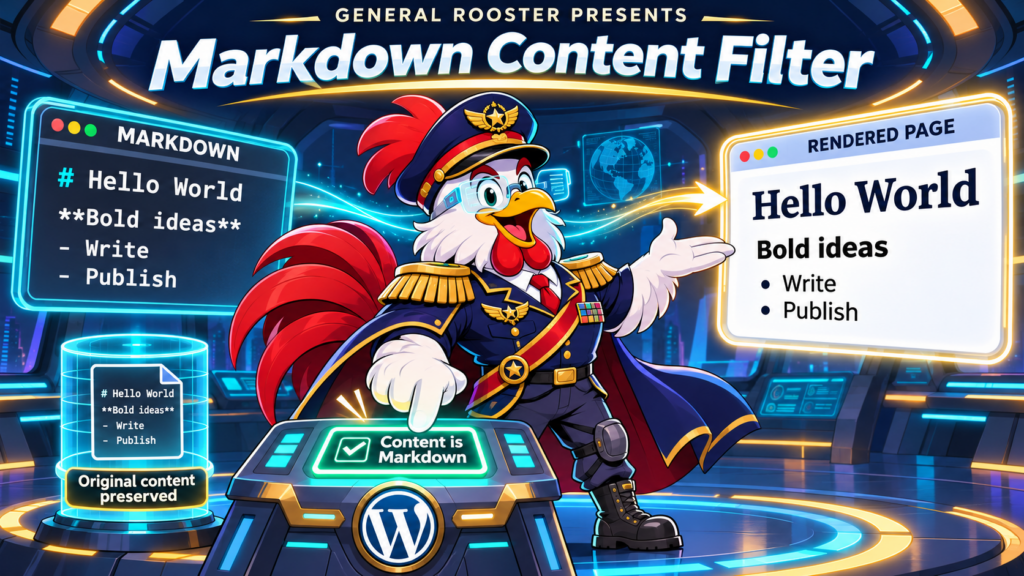
A WordPress plugin that renders post content written in Markdown as HTML when it is displayed. It changes only the output: the content stored in the database stays exactly as it was written.
- Plugin slug / namespace:
aiplugin20078 - Version: 2
- Requires: WordPress 6.0+, PHP 7.4+
- Dependencies: none (the Markdown converter is built in)
Usage
- Activate the plugin.
- Open a post or page in the editor.
- Tick Content is Markdown in the Markdown box in the sidebar, then save.
The post’s content is now converted from Markdown to HTML on output. Untick the box to go back to normal rendering. Nothing about the saved content changes either way.
Where to write Markdown
Markdown is converted from the raw saved content, so write it where WordPress keeps your text as-is:
- the Classic editor
- the Block editor’s Code editor view
- a Classic or Custom HTML block
Markdown typed into regular Block editor paragraph blocks is saved wrapped in <p> tags. It passes through as HTML and is not converted.
Where conversion applies
| Output | Converted? |
|---|---|
| Single post and page views | Yes (the_content) |
| Archives, home page, search results | Yes (the_content) |
| RSS/Atom feeds | Yes (feeds run the_content) |
REST API content.rendered | Yes (the_content) |
| Auto-generated excerpts | Yes: converted, then stripped to plain text by core |
| Hand-written excerpts | Inline formatting only (bold, italics, links, code) |
Supported Markdown
Block elements
- Headings:
# H1to###### H6, plus setext style (===/---underlines) - Paragraphs. Single line breaks are soft; end a line with two spaces or
\for a hard break - Blockquotes, including nested quotes and lazy continuation lines
- Bulleted lists (
-,*,+) and numbered lists (1.or1)), with custom start numbers - Nested lists, and loose lists (items separated by blank lines get
<p>tags) - Fenced code blocks (
```or~~~); an info string becomesclass="language-xxx" - Indented code blocks (4 spaces)
- Horizontal rules (
---,***,___) - Tables (GitHub style), with
:---,:---:and---:column alignment - Raw HTML blocks, passed through unchanged (Markdown inside them is not processed)
Inline elements
**bold**/__bold__,*italic*/_italic_,***both***,~~strikethrough~~- Underscores inside words are ignored, so
snake_case_namestays as written `code spans`- Links:
[text](url "title"),[text][ref],[text][],[ref], with[ref]: url "title"definitions anywhere in the document - Autolinks:
<https://example.com>and<name@example.com>(email addresses are obfuscated withantispambot()) - Images:
and![alt][ref], also inside links - Backslash escapes, e.g.
\*not italic\* - Inline HTML and HTML entities, passed through unchanged
Not supported: bare URL autolinking, task lists, footnotes, definition lists, heading IDs and smart typography. WordPress’s own wptexturize still adds curly quotes and dashes.
How it works
The plugin hooks the_content at priority 7. That is before every core content filter that matters here:
| Priority | Filter | Interaction |
|---|---|---|
| 7 | Markdown conversion | Runs first on the raw content |
| 8 | apply_block_hooks_to_content_from_post_object | Unaffected |
| 9 | do_blocks | Still renders any block markup in the content |
| 10 | wptexturize | Adds curly quotes/dashes; skips <code> and <pre> |
| 10 | wpautop | Removed for this pass, then restored |
| 10 | shortcode_unautop | Unwraps <p> around lone shortcodes |
| 11 | do_shortcode | Shortcodes still run |
wpautop is removed for a Markdown post because the converter already builds paragraphs, and wpautop would add stray <p> and <br /> tags. This copies what core’s do_blocks() does for block content: the filter is removed and a one-off callback at priority + 1 puts it back. The next post therefore renders normally.
Whether a post counts as Markdown comes from the post meta key _aiplugin20078_is_markdown, read from the global post (get_post()).
Security
- Link and image URLs go through
esc_url(), so unsafe protocols such asjavascript:come out as an emptyhref. - Titles and alt text are escaped with
esc_attr(). - Code spans and code blocks are HTML-escaped.
[and]inside code become[and], so shortcodes shown in code samples are not executed bydo_shortcode(). - Raw HTML passes through, as in standard Markdown. This adds no new risk: WordPress already filters
post_contentwith KSES on save for users without theunfiltered_htmlcapability. - The meta box save handler checks a nonce, autosaves, revisions and
edit_postcapability. The REST-exposed meta key requiresedit_postto write.
Developer reference
Filters
aiplugin20078_is_markdown: decide whether a post is rendered as Markdown.
// Render every post of the "doc" post type as Markdown, checkbox or not.
add_filter('aiplugin20078_is_markdown', function (bool $enabled, WP_Post $post): bool {
    return 'doc' === $post->post_type ? true : $enabled;
}, 10, 2);aiplugin20078_post_types: choose which post types show the checkbox and can use Markdown. The default is every post type with show_ui that supports editor, except attachments.
add_filter('aiplugin20078_post_types', function (array $types): array {
    return ['post', 'page'];
});
Post meta
| Key | Type | REST | Notes |
|---|---|---|---|
_aiplugin20078_is_markdown | boolean | meta._aiplugin20078_is_markdown | Registered for all post types; deleted when unticked |
Set it from code or WP-CLI:
wp post meta update 123 _aiplugin20078_is_markdown 1Using the converter directly
$converter = new \aiplugin20078\Markdown\Converter();
$html      = $converter->convert($markdown);        // full document
$inline    = $converter->convertInline('*hello*');  // inline only
File structure
aiplugin20078.php                       Main file: requires classes and wires hooks
src/aiplugin20078/
├── Markdown/
│   ├── Converter.php                   Facade: normalizes input, collects link references
│   ├── BlockParser.php                 Block elements (paragraphs, lists, code, tables, ...)
│   └── InlineParser.php                Inline elements (emphasis, links, code spans, ...)
├── Services/
│   └── MarkdownPostFlag.php            Meta registration, "is Markdown?" check, post types
└── Hooks/
    ├── ContentFilter.php               the_content / the_excerpt filters, wpautop handling
    └── MarkdownMetaBox.php             Editor checkbox and save handler
src/js/aiplugin20078.js                 JS entry module (unused; not enqueued)
src/plugin-update-checker/              Third-party update checker library
The project follows docs/wordpress-plugin-architecture-guide.md: one class per file, lowercase aiplugin20078 namespace, explicit require_once wiring with no autoloader, and everything that ships lives under src/.
Known limitations
- Markdown inside Block editor paragraph blocks is not converted (see Where to write Markdown).
- Conversion keys off the global post. If a theme or plugin runs
the_contenton some other text while a Markdown post is the current post, that text is converted too. - Core’s auto-excerpt runs
strip_shortcodes()on the raw content before conversion, so shortcode-like text inside code blocks is dropped from auto-generated excerpts. - A
|inside a code span in a table cell splits the cell (as on GitHub). Escape it as\|. - Content is converted on every request. There is no caching.