
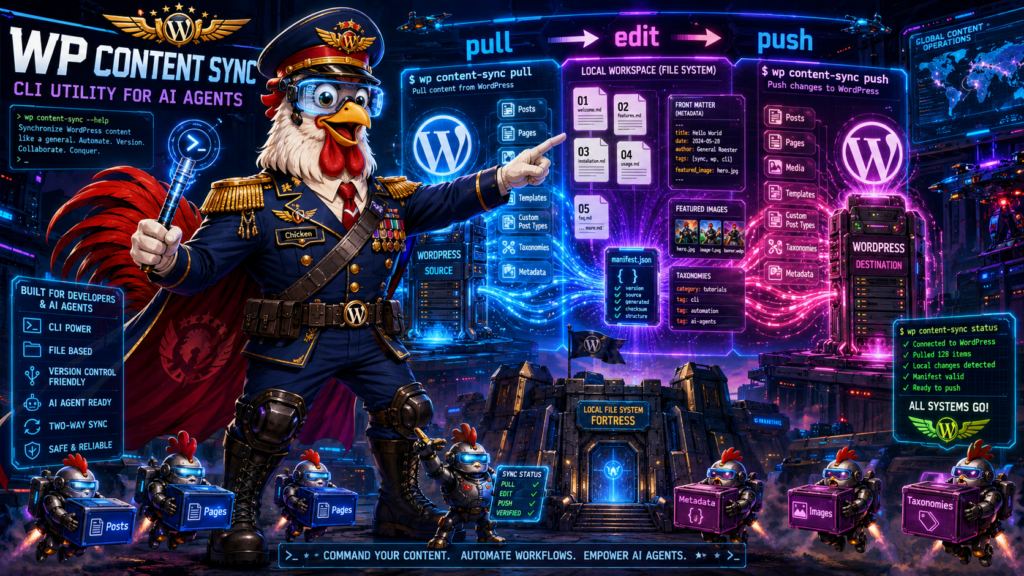
WP Content Sync
| AI Plugin Information | |
|---|---|
| Version | 3 |
| Download | Download Plugin |
WP Content Sync – CLI Utility for AI Agents
A WordPress plugin that provides a WP-CLI interface for syncing WordPress content to/from the local filesystem, optimized for AI agent workflows.
Installation
- Activate the plugin in WordPress
- Ensure WP-CLI is installed and available
Commands
Pull Command
Fetches posts from WordPress and exports them to the current working directory.
wp content-sync pull [options]Options
- `–post_type= ` – Post type to query (default: post)
- `–post_status= ` – Post status (default: any)
- `–posts_per_page= ` – Number of posts to retrieve (default: -1, all)
- `–post__in= ` – Comma-separated list of specific post IDs
- `–category= ` – Filter by category slug or ID
- `–author= ` – Filter by author ID
- `–s=
` – Search term - `–date_query= ` – JSON-encoded date query
Examples
# Pull all posts
wp content-sync pull

# Pull all pages
wp content-sync pull --post_type=page

# Pull specific posts by ID
wp content-sync pull --post__in=1,2,3,42

# Pull published posts from a specific category
wp content-sync pull --category=news --post_status=publish

# Pull posts by author
wp content-sync pull --author=5

# Search for posts
wp content-sync pull --s="wordpress tutorial"
Output Structure
The pull command creates the following files in your current working directory:
-
[post_id].md – Raw post content (one file per post)
- Example:
1042.md - Contains raw
post_contentwithout any HTML-to-Markdown conversion
- Example:
-
[post_id].featuredimage.[ext] – Featured image (if exists)
- Example:
1042.featuredimage.jpg - Full-size original image
- Example:
-
manifest.json – Complete metadata for all posts
- Contains all post fields (ID, title, status, dates, etc.)
- Includes all postmeta (including hidden keys)
- Includes taxonomy term assignments
- References featured image filename
Push Command
Syncs local changes back to WordPress database.
wp content-sync pushHow It Works
- Reads
manifest.jsonfrom current directory - Updates post content from
[post_id].mdfiles - Updates post metadata from manifest
- Syncs featured images (uploads new/changed images)
- Updates taxonomy term assignments
Example
# After editing local files, push changes back
wp content-sync push
Workflow Example
# Navigate to your working directory
cd ~/wordpress-content

# Pull all published posts
wp content-sync pull --post_status=publish

# Edit the markdown files and manifest.json as needed
# ... make your changes ...

# Push changes back to WordPress
wp content-sync push
Manifest.json Structure
[
  {
    "ID": 1042,
    "post_author": "1",
    "post_date": "2024-01-15 10:30:00",
    "post_date_gmt": "2024-01-15 10:30:00",
    "post_title": "Example Post Title",
    "post_excerpt": "Post excerpt...",
    "post_status": "publish",
    "comment_status": "open",
    "ping_status": "open",
    "post_password": "",
    "post_name": "example-post-title",
    "post_modified": "2024-01-15 12:00:00",
    "post_modified_gmt": "2024-01-15 12:00:00",
    "post_parent": 0,
    "menu_order": 0,
    "post_type": "post",
    "featured_image": "1042.featuredimage.jpg",
    "featured_image_id": 523,
    "post_meta": {
      "_edit_lock": "1705318800:1",
      "_edit_last": "1",
      "custom_field": "custom value"
    },
    "taxonomies": {
      "category": [
        {
          "term_id": 5,
          "name": "News",
          "slug": "news",
          "taxonomy": "category"
        }
      ],
      "post_tag": [
        {
          "term_id": 12,
          "name": "WordPress",
          "slug": "wordpress",
          "taxonomy": "post_tag"
        }
      ]
    }
  }
]
Key Features
- Git-like Pull/Push Workflow – Familiar paradigm for developers
- Sequential Processing – Stable, predictable operations
- Raw Content Preservation – No HTML-to-Markdown conversion
- Complete Metadata – Zero data loss, all postmeta included
- Featured Image Handling – Full-size originals with smart change detection
- Taxonomy Support – Preserves category and tag assignments
- Flexible Querying – Standard WordPress query parameters supported
Technical Details
- Content Format: Raw
post_contentsaved as-is (no conversions) - File Naming: Strict
[post_id].mdand[post_id].featuredimage.[ext]format - Working Directory: All operations use
getcwd()(current directory) - Image Handling: Copies original files from WordPress uploads directory
- Metadata: Complete post object + all postmeta (flattened, unserialized)
- Change Detection: MD5 hashing for featured images to avoid unnecessary uploads
Requirements
- WordPress 5.0+
- PHP 7.4+
- WP-CLI 2.0+
License
Copyright (C) AI_PLUGIN_DEV 2026. ALL RIGHTS RESERVED. THIS IS NOT FREE SOFTWARE.