Registration Intercept
| AI Plugin Information | |
|---|---|
| Version | 16 |
| Download | Download Plugin |
Registration Intercept
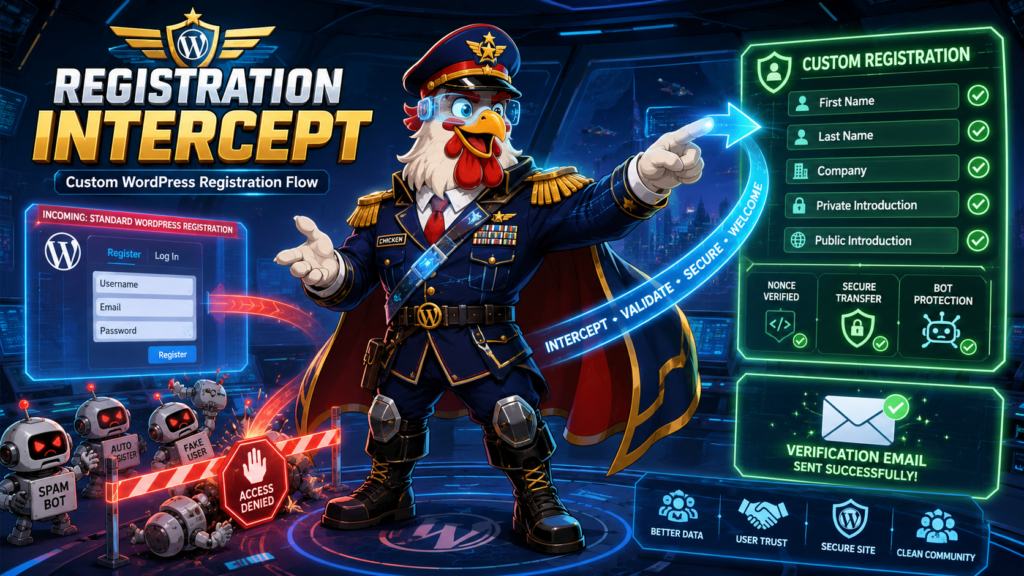
A WordPress plugin that replaces the standard WordPress registration process with a custom registration form requiring extended profile information and written responses to help prevent automated bot registrations.
Description
Registration Intercept interrupts automated registration bots by requiring meaningful, human-readable text responses that are not normally part of WordPress registration. The plugin redirects users from the standard WordPress registration page to a custom form that collects additional profile information including two written introductions with minimum length requirements.
Key Features
- Registration Interception: Automatically redirects
wp-login.php?action=registerto your custom registration page - Extended Profile Fields: Collects first name, last name, company (optional), and two written introductions
- Bot Prevention: Requires two separate 15+ character written responses to discourage automated registrations
- Bypass Protection: Prevents direct POST requests to the standard WordPress registration handler
- Security First: Includes nonce verification, CSRF protection, XSS prevention, and comprehensive input sanitization
- Accessibility Compliant: Follows WCAG guidelines with proper labels, ARIA attributes, and keyboard navigation
- Customizable: Admin settings page for configuring messages, labels, and success behavior
- Developer Friendly: Provides WordPress filters and actions for extending functionality
Requirements
- WordPress: 6.5 or higher
- PHP: 7.4 or higher (8.1+ recommended)
- WordPress Setting: “Anyone can register” must be enabled in Settings → General
Installation
Standard Installation
- Download the plugin ZIP file
- Navigate to Plugins → Add New in your WordPress admin
- Click Upload Plugin and select the ZIP file
- Click Install Now
- Activate the plugin
Manual Installation
- Upload the
aiplugin4858folder to/wp-content/plugins/ - Activate the plugin through the Plugins menu in WordPress
Post-Installation Setup
- Create a new WordPress page (e.g., “Register”)
- Add the shortcode
[registration_intercept_form]to the page content - Publish the page
- Navigate to Settings → Registration Intercept
- Select your registration page from the dropdown
- Configure success messages and other settings as desired
- Save changes
Usage
Basic Shortcode
Add the registration form to any page or post:
[registration_intercept_form]Form Fields
The registration form collects the following information:
Required Fields
- Username: Standard WordPress username (must be unique)
- Email: Valid email address (must be unique)
- First Name: User’s first name
- Last Name: User’s last name
- Private Introduction: A private message (minimum 15 characters) – not published
- Public Introduction: A public message (minimum 15 characters) – available for display to other users
Optional Fields
- Company: User’s company or organization
Admin Settings
Access plugin settings at Settings → Registration Intercept:
- Registration Page: Select the page containing the registration form shortcode
- Success Behavior: Choose to display a message or redirect after successful registration
- Success Message: Customize the message shown after successful registration
- Form Labels: Customize all form field labels and explanatory text
- Messages: Customize welcome message and registration disabled message
Security Features
- CSRF Protection: WordPress nonce verification on all form submissions
- XSS Prevention: All output is properly escaped using WordPress functions
- Input Sanitization: All user input is sanitized using appropriate WordPress functions
- Bypass Prevention: Direct POST requests to standard registration handler are blocked
- Private Data Protection: Private introduction is never exposed through REST API or public pages
- Validation: Comprehensive server-side validation regardless of client-side checks
Data Storage
Standard WordPress Fields
- Username and email are stored in the standard WordPress users table
- First name and last name are stored as standard WordPress user metadata
Custom Metadata
The plugin stores additional information as user metadata with the following keys:
_registration_intercept_company: User’s company (private by default)_registration_intercept_private_introduction: Private introduction (never public)_registration_intercept_public_introduction: Public introduction (available for controlled display)_registration_intercept_source: Registration source tracking (private)_registration_intercept_completed_at: Registration completion timestamp (private)
Developer Documentation
Filters
Extend or modify plugin behavior using these filters:
// Modify form fields before rendering
apply_filters('registration_intercept_form_fields', $fields);

// Modify validation errors
apply_filters('registration_intercept_validation_errors', $errors, $data);

// Change minimum text length requirement (default: 15)
apply_filters('registration_intercept_minimum_text_length', 15);

// Modify user metadata before saving
apply_filters('registration_intercept_user_meta', $meta, $user_id);

// Customize success redirect URL
apply_filters('registration_intercept_success_redirect', $url, $user_id);

// Filter public introduction before display
apply_filters('registration_intercept_public_introduction', $text, $user_id);
Actions
Hook into registration events:
// Before validation begins
do_action('registration_intercept_before_validation', $data);

// After validation completes
do_action('registration_intercept_after_validation', $errors, $data);

// Before user account is created
do_action('registration_intercept_before_user_creation', $data);

// After user account is created
do_action('registration_intercept_after_user_creation', $user_id, $data);

// When registration is fully completed
do_action('registration_intercept_registration_completed', $user_id);

// When registration fails
do_action('registration_intercept_registration_failed', $errors, $data);
Example: Custom Validation
add_filter('registration_intercept_validation_errors', function($errors, $data) {
    // Add custom validation
    if (isset($data['company']) && strpos($data['company'], 'spam') !== false) {
        $errors->add('company_invalid', 'Invalid company name.');
    }
    return $errors;
}, 10, 2);
Example: Modify Minimum Length
add_filter('registration_intercept_minimum_text_length', function($length) {
    return 25; // Require 25 characters instead of 15
});
Testing
The plugin includes comprehensive test coverage using Codeception:
Run All Tests
composer testRun Specific Test Suites
# PHPUnit tests (unit tests)
composer test-phpunit

# WPUnit tests (WordPress integration tests)
composer test-wpunit

# Acceptance tests (browser-based tests)
composer test-acceptance
Test Coverage
- Unit Tests: Field validation, sanitization, character counting
- Integration Tests: User creation, metadata storage, duplicate detection
- Acceptance Tests: Form display, validation errors, successful registration, bypass prevention
Compatibility
Supported
- Standard single-site WordPress installations
- Current supported WordPress releases (6.5+)
- PHP 7.4, 8.1, 8.2, 8.3
- Themes that render shortcodes through normal page content
- Standard WordPress username and email registration
Not Guaranteed
- WordPress Multisite registration
- WooCommerce registration
- BuddyPress registration
- Membership plugins with custom registration
- Social login plugins
- Custom registration endpoints
- Headless WordPress applications
Troubleshooting
Registration Form Not Displaying
- Verify the shortcode
[registration_intercept_form]is added to your page - Check that “Anyone can register” is enabled in Settings → General
- Ensure the plugin is activated
Redirects Not Working
- Go to Settings → Registration Intercept
- Verify the correct registration page is selected
- Try flushing permalinks: Settings → Permalinks → Save Changes
Users Not Receiving Email
- Verify WordPress email is working (test with password reset)
- Check spam folders
- Consider installing an SMTP plugin for reliable email delivery
Validation Errors Not Showing
- Ensure JavaScript is enabled in the browser
- Check browser console for JavaScript errors
- Verify theme compatibility with WordPress standards
Frequently Asked Questions
Q: Can I customize the form fields?
A: The core fields are fixed, but you can customize labels and messages in the settings. Developers can use filters to add custom validation or modify behavior.
Q: Is the private introduction really private?
A: Yes. The private introduction is stored as user metadata with a prefixed key and is never exposed through the REST API or rendered on public pages by the plugin.
Q: Can I change the 15-character minimum?
A: Yes, developers can use the registration_intercept_minimum_text_length filter to modify this requirement.
Q: Does this work with WooCommerce?
A: This plugin is designed for standard WordPress registration. WooCommerce uses its own registration system which is not affected by this plugin.
Q: Will this stop all spam registrations?
A: While this plugin significantly reduces automated bot registrations by requiring meaningful written responses, no solution can guarantee 100% spam prevention. Consider combining with other anti-spam measures if needed.
Changelog
Version 3
- Current stable release
- Full feature implementation with extended profile fields
- Comprehensive security measures
- Accessibility compliance
- Admin settings page
- Complete test coverage
Credits
- Plugin Update Checker: Uses YahnisElsts/plugin-update-checker for update management
License
This plugin is licensed under the GPL v2 or later.
This program is free software; you can redistribute it and/or modify
it under the terms of the GNU General Public License as published by
the Free Software Foundation; either version 2 of the License, or
(at your option) any later version.

This program is distributed in the hope that it will be useful,
but WITHOUT ANY WARRANTY; without even the implied warranty of
MERCHANTABILITY or FITNESS FOR A PARTICULAR PURPOSE. See the
GNU General Public License for more details.
Support
For bug reports, feature requests, or contributions, please contact the plugin author or submit issues through the appropriate channels.
Author
John Dee
Note: This plugin is designed to interrupt automated bot registrations by requiring human-readable responses. It is not a replacement for comprehensive spam prevention strategies but serves as an effective first line of defense against automated registration attempts.