
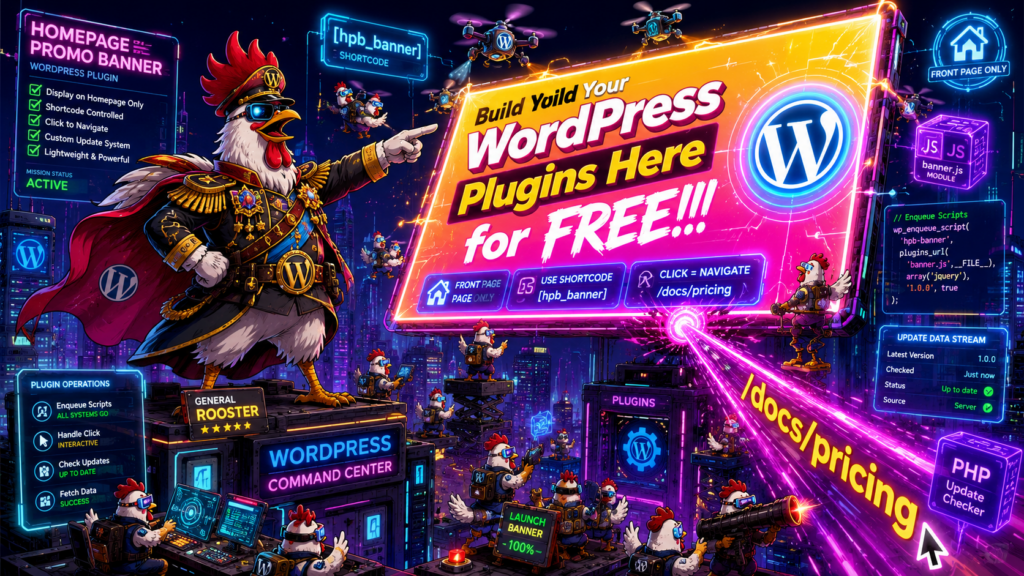
Homepage Promo Banner
| AI Plugin Information | |
|---|---|
| Version | 9 |
| Download | Download Plugin |
Feature Breakdown: Homepage Promo Banner
Plugin Name: Homepage Promo Banner
Source Document: aiplugin4365.php
Feature List
1. Homepage-Only Promo Banner Shortcode
Type: Explicit
WordPress Concept: Shortcode
The plugin provides a shortcode that displays a promotional banner only on the homepage (front page). The shortcode returns empty content when used on any other page.
Source Reference: header_shortcode(), add_shortcode()
2. Animated Promotional Banner Display
Type: Explicit
WordPress Concept: Frontend HTML/CSS output
The banner displays promotional content with:
- Gradient background (yellow to pink)
- Bold, uppercase text styling
- Embedded WordPress logo image
- Rotating animation effect
- Pulsing scale and brightness animation
- Glowing box shadow effects
- Message: “Build Your [WordPress Logo] Plugins Here for FREE!!!”
Source Reference: header_shortcode() return value
3. Click-to-Navigate Interaction
Type: Explicit
WordPress Concept: JavaScript interaction
When the promotional banner is clicked, the user is redirected to /docs/pricing.
Source Reference: header-shortcode.js
4. JavaScript Module System
Type: Explicit
WordPress Concept: Script module enqueuing
The plugin registers and enqueues JavaScript modules using WordPress’s script module system:
- Entry point module:
aiplugin4365.js - Example module dependency:
example-js-module.js
Source Reference: wp_enqueue_scripts action
5. Shortcode JavaScript Asset Enqueuing
Type: Inferred
WordPress Concept: Script enqueuing
The plugin enqueues a JavaScript file specifically for the header shortcode functionality to enable click interactions.
Inference Reason: Required to support the click-to-navigate feature (#3). The shortcode outputs HTML with an ID that the JavaScript targets for event handling.
Source Reference: wp_enqueue_script()
6. Custom Plugin Update Mechanism
Type: Explicit
WordPress Concept: Plugin update checker integration
The plugin integrates a third-party update checker library (YahnisElsts\PluginUpdateChecker) to check for updates from a custom JSON endpoint at https://aiplugin.dev/wp-content/aiplugins/aiplugin4365_details.json.
Source Reference: PucFactory::buildUpdateChecker(), require_once
Feature Summary
| # | Feature Name | Type | WordPress Concept |
|---|---|---|---|
| 1 | Homepage-Only Promo Banner Shortcode | Explicit | Shortcode |
| 2 | Animated Promotional Banner Display | Explicit | Frontend HTML/CSS output |
| 3 | Click-to-Navigate Interaction | Explicit | JavaScript interaction |
| 4 | JavaScript Module System | Explicit | Script module enqueuing |
| 5 | Shortcode JavaScript Asset Enqueuing | Inferred | Script enqueuing |
| 6 | Custom Plugin Update Mechanism | Explicit | Plugin update checker integration |
Notes
- The plugin uses a namespace (
aiplugin4365) for all PHP functions - The promotional banner is hardcoded with inline styles and specific branding
- The navigation target (
/docs/pricing) is hardcoded in the JavaScript - The example JavaScript module appears to be boilerplate/scaffolding code that logs “Hello world!” but serves no functional purpose in the current implementation
- The plugin includes proprietary licensing (not free software)