
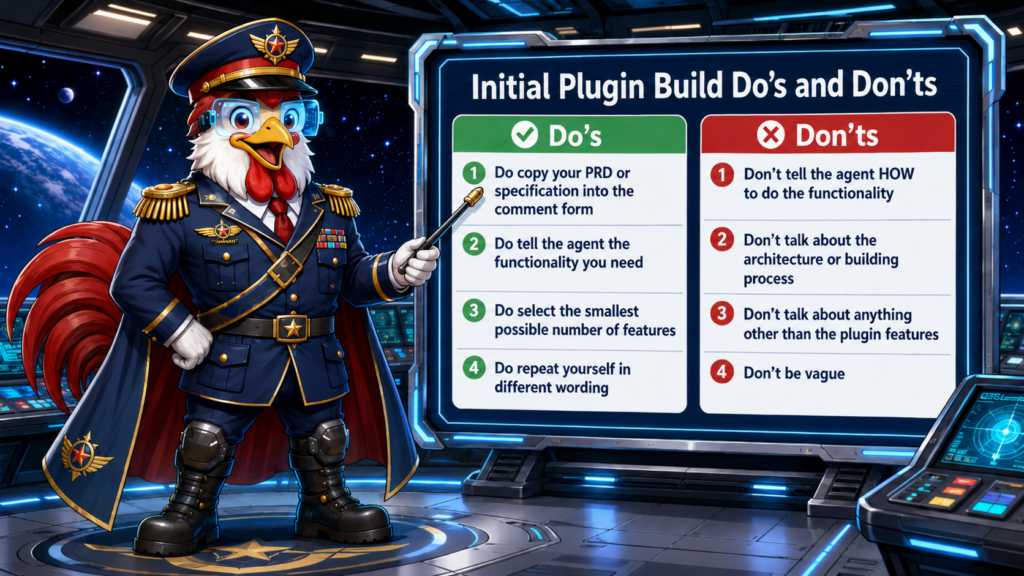
When you start your first WordPress AI plugin build, the way you describe the plugin matters. The AI agent needs clear, focused instructions about what the plugin should do. The better your initial request, the better your first build will be.
✅ The Do’s
Do: Copy Your PRD or Specification Into the Comment Form
Put your Product Requirements Document, feature list, or written specification directly into the comment form. The more complete your description is, the easier it is for the agent to understand the plugin you want to build.
You do not need to make the request fancy. A plain-language description of the plugin’s purpose, features, and expected behavior is usually the best starting point.
Do: Tell the Agent the Functionality You Need
Focus on what the plugin should do for the user. Tell the agent the functionality, behavior, and results you expect from the plugin.
Example: Say “The plugin should create a contact form and save submissions in the WordPress admin.” That is much better than giving vague instructions like “Make me a useful form plugin.”
Do: Select the Smallest Possible Number of Features
Start with the smallest useful version of the plugin. Pick one main feature, or a very small group of related features, and build that first.
A focused plugin build is:
- Easier to test
- Easier to edit
- Easier to improve
Once the first version works, you can add more features in later steps. You can build multiple small plugins and combine them.
Do: Repeat Yourself in Different Wording
It is helpful to say the same important idea more than once using different words. Repetition helps the agent understand which parts of your request matter most. Talk to the agent like it’s stupid. Don’t worry about sounding weird or redundent to the machine. Say it more than once.
Example: You might say “The plugin should only create a front-end submission form,” and then later say “Do not add unrelated admin tools; focus only on the public form and submission saving.” That makes your intent clearer.
🚫 The Don’ts
Don’t: Tell the Agent HOW to Do the Functionality
Avoid telling the agent exactly how to code or architect the feature. That’s the agent’s job! You should describe the outcome you want, not the internal implementation. This has a tendency to confuse the agent.
Instead of saying which classes, hooks, files, or database structure to use, explain the user-facing behavior. Let the agent decide the technical approach.
Don’t: Talk About the Architecture or Building Process
Your initial request should not be about the development process, folder structure, versioning, or architecture. Those details can distract the agent from the actual plugin features.
Keep the first build focused on what the finished plugin should do. The builder can figure out the technical plan from there.
Don’t: Talk About Anything Other Than the Plugin Features
Stay focused on the plugin itself. Do not include:
- Unrelated business plans
- Marketing ideas
- Personal notes
- Background information that does not affect the plugin’s behavior
The agent needs a clean description of the plugin’s features. Anything outside that scope can confuse the build.
Don’t: Be Vague
Vague instructions produce vague results. Be specific about:
- What the plugin should do
- Where it should appear
- Who should use it
- What should happen when the user interacts with it
Bad example: “Make a booking plugin.”
Good example: “The plugin should let visitors choose a date and time, submit their name and email, and let the site admin view bookings in the WordPress dashboard.”
🎯 Final Rule
For your initial WordPress AI plugin build, keep your request simple, specific, and focused on plugin functionality.
Remember to:
- Tell the agent what the plugin should do
- Repeat the most important requirements
- Avoid unnecessary technical instructions
The clearer your initial request, the better your first build will be.